


Home
Online Teaching Beginner's Guide
Barnes and Noble
Loading Inventory...
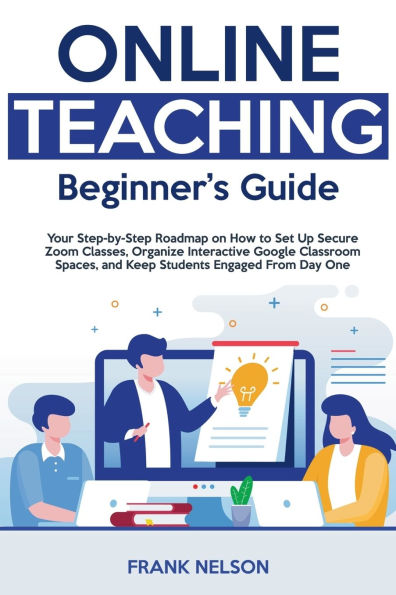
Online Teaching Beginner's Guide in Bloomington, MN
Current price: $19.99

Online Teaching Beginner's Guide in Bloomington, MN
Current price: $19.99
Loading Inventory...
Size: OS
Struggling to turn your in-person magic into an engaging online classroom?
You're not alone-thousands of talented teachers feel overwhelmed by new tech, blank screens, and disengaged students.
Online Teaching Beginner's Guide
slices through the noise with a proven, step-by-step system that transforms you into a confident virtual educator-no advanced IT skills required.
Inside this two-book bundle you'll unlock practical blueprints for today's most essential platforms:
Zoom for Beginners
-Set up secure meetings in minutes, run interactive breakout rooms, and troubleshoot audio-video glitches without breaking a sweat.
Google Classroom for Beginners
-Organize assignments, automate grading, integrate Docs, Slides, and Meet, and keep every lesson at your students' fingertips.Each chapter blends bite-sized tutorials, real-classroom examples, and time-saving checklists so you can immediately apply what you learn-whether you're teaching a second-grade reading group or a college-level seminar.
Imagine logging in to see every student ready, focused, and eager to participate. Picture your workflow streamlined-quizzes grade themselves, feedback is instant, and parents applaud your seamless communication. That's the power of mastering Zoom and Google Classroom together. With this guide you'll:
Boost engagement
using polls, gamified quizzes, and multimedia lessons.
Save hours
each week with automated attendance, rubrics, and reusable templates.
Feel in control
by eliminating security worries and tech hiccups before they start.You'll not only teach online-you'll thrive online.
Ready to turn blank faces into bright, engaged learners?
You're not alone-thousands of talented teachers feel overwhelmed by new tech, blank screens, and disengaged students.
Online Teaching Beginner's Guide
slices through the noise with a proven, step-by-step system that transforms you into a confident virtual educator-no advanced IT skills required.
Inside this two-book bundle you'll unlock practical blueprints for today's most essential platforms:
Zoom for Beginners
-Set up secure meetings in minutes, run interactive breakout rooms, and troubleshoot audio-video glitches without breaking a sweat.
Google Classroom for Beginners
-Organize assignments, automate grading, integrate Docs, Slides, and Meet, and keep every lesson at your students' fingertips.Each chapter blends bite-sized tutorials, real-classroom examples, and time-saving checklists so you can immediately apply what you learn-whether you're teaching a second-grade reading group or a college-level seminar.
Imagine logging in to see every student ready, focused, and eager to participate. Picture your workflow streamlined-quizzes grade themselves, feedback is instant, and parents applaud your seamless communication. That's the power of mastering Zoom and Google Classroom together. With this guide you'll:
Boost engagement
using polls, gamified quizzes, and multimedia lessons.
Save hours
each week with automated attendance, rubrics, and reusable templates.
Feel in control
by eliminating security worries and tech hiccups before they start.You'll not only teach online-you'll thrive online.
Ready to turn blank faces into bright, engaged learners?
Struggling to turn your in-person magic into an engaging online classroom?
You're not alone-thousands of talented teachers feel overwhelmed by new tech, blank screens, and disengaged students.
Online Teaching Beginner's Guide
slices through the noise with a proven, step-by-step system that transforms you into a confident virtual educator-no advanced IT skills required.
Inside this two-book bundle you'll unlock practical blueprints for today's most essential platforms:
Zoom for Beginners
-Set up secure meetings in minutes, run interactive breakout rooms, and troubleshoot audio-video glitches without breaking a sweat.
Google Classroom for Beginners
-Organize assignments, automate grading, integrate Docs, Slides, and Meet, and keep every lesson at your students' fingertips.Each chapter blends bite-sized tutorials, real-classroom examples, and time-saving checklists so you can immediately apply what you learn-whether you're teaching a second-grade reading group or a college-level seminar.
Imagine logging in to see every student ready, focused, and eager to participate. Picture your workflow streamlined-quizzes grade themselves, feedback is instant, and parents applaud your seamless communication. That's the power of mastering Zoom and Google Classroom together. With this guide you'll:
Boost engagement
using polls, gamified quizzes, and multimedia lessons.
Save hours
each week with automated attendance, rubrics, and reusable templates.
Feel in control
by eliminating security worries and tech hiccups before they start.You'll not only teach online-you'll thrive online.
Ready to turn blank faces into bright, engaged learners?
You're not alone-thousands of talented teachers feel overwhelmed by new tech, blank screens, and disengaged students.
Online Teaching Beginner's Guide
slices through the noise with a proven, step-by-step system that transforms you into a confident virtual educator-no advanced IT skills required.
Inside this two-book bundle you'll unlock practical blueprints for today's most essential platforms:
Zoom for Beginners
-Set up secure meetings in minutes, run interactive breakout rooms, and troubleshoot audio-video glitches without breaking a sweat.
Google Classroom for Beginners
-Organize assignments, automate grading, integrate Docs, Slides, and Meet, and keep every lesson at your students' fingertips.Each chapter blends bite-sized tutorials, real-classroom examples, and time-saving checklists so you can immediately apply what you learn-whether you're teaching a second-grade reading group or a college-level seminar.
Imagine logging in to see every student ready, focused, and eager to participate. Picture your workflow streamlined-quizzes grade themselves, feedback is instant, and parents applaud your seamless communication. That's the power of mastering Zoom and Google Classroom together. With this guide you'll:
Boost engagement
using polls, gamified quizzes, and multimedia lessons.
Save hours
each week with automated attendance, rubrics, and reusable templates.
Feel in control
by eliminating security worries and tech hiccups before they start.You'll not only teach online-you'll thrive online.
Ready to turn blank faces into bright, engaged learners?
Shop Similar Products















Find at Mall of America® in Bloomington, MN
Visit at Mall of America® in Bloomington, MN